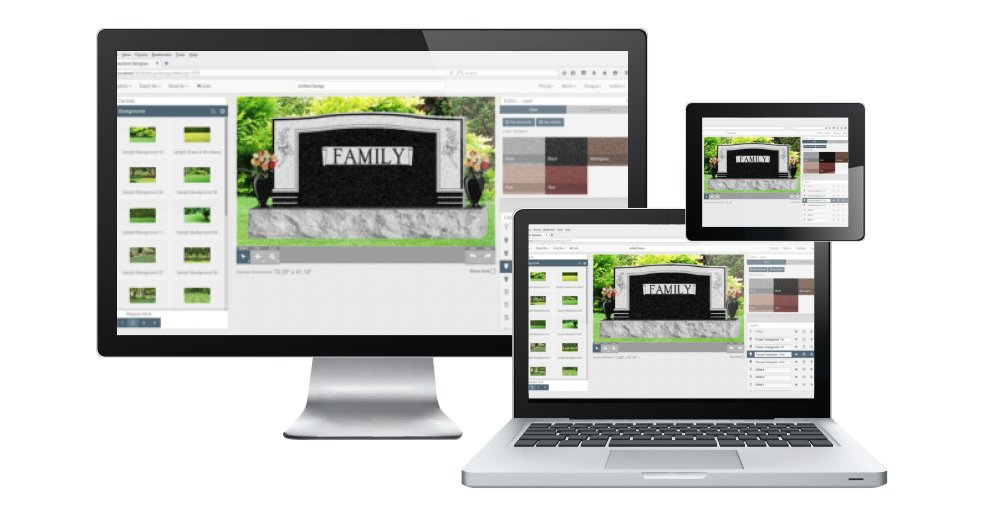
Gerber Monument Software, Plotters, Training & Tutorials

Gerber Scientific & Allen Datagraph Plotters & Lasers

gerblogowhitenudgeallendatalogowhitenudgeDesign Mart works with Hyatt's Graphics (www.hyatts.com) to offer plotters and cutters from Gerber and Allen Datagraph as well as lasers from Allen Datagraph. We also offer seminars and tutorials for beginners.

blue bar

All New Impact Etcher - Starting at $13,750!

What is Impact Etching?
Impact Etching is a revolutionary technology, designed for use in the Monument Industry. The image is created by a diamond-tipped needle hitting the stone.  The Etcher's controller changes the strength and frequency of hits to achieve required characteristics of the image. The etching head is driven by a precision German-manufactured 3-D linear drive with a gap sensor that automatically maintains an optimal distance between the needle and stone - allowing processing of uneven surfaces.  The result is an image that is as close as as possible to the original, and has the quality of etching performed by the artist, for a fraction of the cost.
How does it compare to laser?
Impact Etching does not require stone to be ideally black, level or flat.  Since it is similar to hand etching it penetrates stone much deeper than a laser, which burns the surface of the stone.

All Impact Etchers are available with Design Mart monument sales brochures, catalogs and computer images.  Please visit our Books & Brochures page to learn more about these valuable sales tools and matching image files.

Memories Etched BookMemories Etched CD 

 Memories Etched BrochureMemories Etched Brochure Front

There are three types and sizes of Impact Etchers available:

Impact Etcher CP GRANITE-CP IMPACT ETCHING MACHINE 15.7 X 23.6
The Granite Impact Etcher from Economical Solutions Corp is a non-laser, easy-to-use and reliable etching machine. Made from German mechanical components, it is the only diamond etching machine in the US market.  It utilizes automatic gap-tracking technology to eliminate focusing and the need to level the stone. This compact, portable unit can be positioned on the stone, and will etch up to a 15.7 x 23.6 inch image area.

Impact Etcher SR GRANITE-SR IMPACT ETCHING MACHINE 25.2 X 29.9
The Granite Impact Etcher from Economical Solutions Corp is a non-laser, easy-to-use and reliable etching machine. Made from German mechanical components, it is the only diamond etching machine in the US market. It utilizes automatic gap-tracking technology to eliminate focusing and the need to level the stone. This mid-sized, floor unit is capable of etching an image up to 25.2 x 29.9 inches.

Impact Etcher SX GRANITE-SX IMPACT ETCHING MACHINE 25.2 X 48.8
The Granite Impact Etcher from Economical Solutions Corp is a non-laser, easy-to-use and reliable etching machine. Made from German mechanical components, it is the only diamond etching machine in the US market.  It utilizes automatic gap-tracking technology to eliminate focusing and the need to level the stone. This large, floor unit is capable of etching an image up to 25.2 x 48.8 inches.

You'll find helpful information in our Impact Etcher brochure at http://www.hyatts.com/pdf/SIGNGraniteImpactEtcher.pdf .

Laser Engraving vs. Impact Etching

Laser Engraver
• Can engrave wood, leather, plastic.
• Burns very thin upper layer of the stone.
• Works best on perfectly black stone. Yields substandard results on non-black
• Laser machines are complex and have many subsystems: electronic, mechanical, optical, cooling, and fumes removal.
• Requires stone leveling procedure. Stone has to be perfectly flat and level against the machine’s plane.
• Requires manual focusing and/or gap setting to ensure proper distance between the laser tube and stone.
• Has to be used in lab-like environment with stable temperature. Changes to temperature can cause gas leaks from laser tube and can significantly reduce tube life.
• Output of laser tubes changes with ambient temperature and depends on proper cooling.
• High price for high-end models. Questionable reliability for low-end models.
• Most laser machines leave image preparation to the user. This causes frustration and substandard results.
GraniteTM Impact Etching Machine
• Can only engrave stone, glass, metal or other hard materials - designed specifically for monument builders.
• Physically hits stone with diamond “needle", creating images that are as close as it gets to manual etching.
• Can be used on any stone of any color, regardless of imperfections the stone may have.
• Has only 2 subsystems: electronic and mechanical, and has fewer components for higher reliability.
• Stone does not have to be perfectly flat or level. Machine has the tracking head that follows the surface of the stone; set-up time is minimal.
• Has automatic gap setting mechanism.
• Designed for your workshop and its environment.
• Price that every monument shop can afford. Pays for itself in a matter of months. Assembled from German-made linear drives. Rugged industrial-grade
welded frame.
• Comes with Image Editing Service that will prepare images for etching. Editing done manually by artist will ensure perfect quality that your clients will like.

What is the largest size stone that can be etched?
There is no relation between the size of the stone and type of the machine you use. You can put the portable Granite-CP™ model over any monument, regardless of its size. Stationary models Granite-SR™ and Granite-SX™ can work on stones as large as the distance between the machine’s legs on the longest side.
Granite-CP Impact Etcher
• 15.7" x 23.6" Image Area
• Portable and can be positioned directly over the stone.
Granite-SR Impact Etcher
• 25.2" x 29.9" Image Area • Mid-range floor model
Granite-SX Impact Etcher
• 25.2" x 48.8" Image Area • Large floor model

blue bar
Boot Camp 2009

Design Mart and Hyatt's Graphics hosted the annual Boot Camp on March 13th & 14th.  These two one-day sessions provided opportunities for attendees to learn more about lasers and how they can be used for monument applications.  (Click here to watch the Allen Datagraph laser in use.)

Design Mart Design Mart

This year's Boot Camp was held in Elberton, Georgia, at the offices of Design Mart.

Boot Camp 09 Boot Camp 09

Ray Marsh, Allen Datagraph, taught an informative session on the features found in the image editing and prep application that ships with the laser.

Boot Camp 09 Boot Camp 09

Mike Elliott, Allen Datagraph, demonstrated the operation of the laser as participants got a close-up look at the laser in action and asked questions.

Memories Etched In StoneMemories Etched In Stone

Participants got a preview of the new Memories Etched in Stone brochure, catalog and digital library that comes with each laser system.

Boot Camp Course Syllabus/Schedule

10:00 Welcome & Introductions
10:00 – 10:15 Introduction to Etching
What is etching?
When did it start?
  The beginning:
  Electric hand-etching tool demonstration
  Hand etching display
Laser etching:
 Early laser etching:
  Scanning hand-drawn sketches.  The good, the bad, the ugly.
  Scanning hand-drawn scratchboard art.
  Applying color by hand.
 Laser etching from digital photos
  Realism
  Time and $ savings
  Applying color by laser (sublimated ink)
10:15 – 10:30 Selling Etchings - What your sales team needs to know.
How to address durability/longevity issues with clients
 Using awards and community projects to build confidence.  See examples from Memories Etched in Stone (public safety, veterans, and historical markers)
 Guarantee?
 File preservation and future refinishing
 Sandblast of essential lettering with etched images
 Etched portrait tiles added to traditional monuments
Assisting clients with selection
 Your client can't by it if she can't see it.
 Displaying etchings through your Online Catalog (building awareness and consideration)
 Providing etching ideas in your brochures (building awareness and consideration)
 Using a larger image online or catalog to finalize the image and lettering treatment     
 What is an ideal photograph – composition.  Combine photos for special effects.
 Lettering:
  Don't just leave it.  Select new fonts.
  Use your laser to add reflections, shadowing, and highlights.
10:30 – 11:00 Photo Input & Editing
Digital photos and scans
 Resolution
 Mode: 48 bit CMYK, 24 bit RGB, 8 bit Grayscale, and 1 bit Black & White
 Basic photo editing & retouching
 Brightness & contrast
 1 bit black & white
11:00 – 11:15 Break & Move Outside to Laser Display
11:15 – 12:00 Laser Demonstration

Laser Care & Setup
 Cleaning and proper setup
Preparing to Etch
 Adjustment for varying granite and photo/input quality
 Leveling and positioning
Etching
Re-Etching
Color Application
12:00 – 1:30 Break for Lunch
1:30 – 3:30

Questions & answers
Personal demonstrations

If you missed this year's Boot Camp and would like more information on laser or stencil systems please contact Ron Clamp at rclamp1@pbtcomm.net or 803-894-4807.

blue bar
Laser Systems

Click image or click here to watch laser video.memetchedlaserwhitenudge

We offer a variety of machines with photos as well as retail monument brochures and catalogs. Systems import a variety of photo formats, and four models are available with a Y range up to 48" and a X range from 48" - 144". Processing speed is 3 square inches per minute and 150 DPI - 300 DPI resolution. The laser itself is a class IV laser and comes with 2 Mb RAM expandable to 8 Mb. Systems start at $39,975. For information on financing, shipping, and training, please email or call us today.

Please email d-mart@designmart.com or call 800-736-7455 for more information.

blue bar
Highlights from Monument Boot Camp 2007

hosted by Design Mart & Hyatt's Graphics

Boot Camp 2007 returned to Elberton, Georgia, after being held at Niagara Falls in 2005. This year's Boot Camp featured two sessions with 74 participants representing 41 companies from 17 states.

The two-day event, hosted by Design Mart and Hyatt's Graphics, included Friday's instructional sessions on Gerber's Omega application with Design Mart monument designs and fonts, and Saturday's sandblast class and quarry tours. Elaine Andrews, of Design Mart, led the Basic Course that covered essential monument design techniques using Gerber's Omega, while Charles Owens, of Gerber Scientific, led the advanced hands-on course highlighting some of Omega's new features. Mike Fernandez, of Design Mart, also demonstrated the new Color Kit II for adding color to drawings created in Gerber - as well as the new, user-friendly, Monument Designer point-of-sale software.

Miles Supply, of Elberton sponsored a break area with refreshments during Friday's instructional seminars. Allen Datagraph and Gerber plotters were on display, and special offers from Gerber included upgrades to Omega with an additional free Work Station version of Omega. Saturday, Ronnie Brown, of Miles Supply, led tours of a local quarry. Saturday morning also included a sandblast class, conducted by Ron Clamp and hosted by Dixie Granite. Participants were able to see how the work done during the Friday classes could be applied to the stencil and stone.

Friday night, many of the participants dined in historic downtown Elberton and attended a free movie at the Elbert Theatre.

Response to the training facilities, course content, and tours was overwhelmingly positive, and we are looking forward to more Boot Camps in the future. If you are interested in future events, please email or call Design Mart. We'll be glad to place you on our snail-mail and e-mail lists.

blue bar
Gerber Omega Tutorial

whitenudgeIf you missed Boot Camp 2007 you may find our Gerber Omega Tutorial helpful. Design Mart's Gerber Omega Tutorial covers many of the same topics explored in our Gerber Boot Camp. This 60+ page Word(TM) Document is fully illustrated with screen captures to show users exactly where tools are located and how monument designs can be created and changed. Topics covered in the Tutorial include:

Getting Started
Locating and opening Gerber Omega Composer
Exploring Composer Toolbars
Setting up tools in your workspace
Learning how to use drawing tools
Discovering polygon, radius and contour features
Editing Designs
Opening a monument
Deleting carvings
Adding carvings
Rotating carvings
Adding a border/polished margin
Combining the margin/border with a carving
Cutting lines
Adding inscription panels
Aligning inscription panels using guidelines and other tools
Lettering Panels
Adding the family name
Kerning/spacing the family name
Aligning the family name
Adding individual names and dates
Aligning and spacing individual names and dates
Fitting text to a curved path
Using Special Text & Text Effects
Enveloping, waving and other text effects
Creating Blank Monument Shapes
Creating serpentine and oval top dies
Scanning & Converting
Working with hand-drawn designs in Gerber's Omega

Click here to visit the Price & Order page, or call (800) 736-7455 to order or ask questions.

   geromgtutc
geromgtutd

For additional information on our Gerber Omega Tutorial, technical support, or Gerber systems, please call our studio toll-free at 800-736 7455.

blue bar
Boot Camp 2005 Training on Gerber Omega(TM)

whitenudgeDesign Mart's 2005 Boot Camp was held at the Convention Center Niagara Falls. Instructional classes on Gerber Omega, taught by Elaine Andrews, were full again this year.

The plotter display by Allen Datagraph and equipment display by Miles Supply were also well attended. As always, attendees reported that they learned new short cuts, helpful tips, and were able to find new ways to be more productive.

Attendees also participated in sandblast classes Saturday as well as a tour of Frank Lloyd Wright's Blue Sky Mausoleum at Buffalo's Forest Lawn Cemetery Sunday.

blue bar
Boot Camp 2004

blue bar
Gerber Omega Software

Design Mart's studio uses a number of solutions for point-of-sale and manufacturing/sandblasting. We currently offer two types of new plotters: Gerber's GS750 and Allen Datagraph's 536.

omegabox

whitenudgeGerber's Omega program allows the user to open, resize, reconfigure, letter, print and cut monument designs. Program prices usually range from $750 - $2,350 plus shipping, depending on the type of software, and any plotter bundling options or additions you may choose. Monument designs, carvings and fonts are sold separately, or they may be purchased in an introductory package with Omega.

Computer Hardware and Software Requirements:

OMEGA 2.6 is compatible with Microsoft Windows® XP, 2000, or Vista®. OMEGA 2.6 will NOT LOAD on Windows 98 or Windows ME.

Windows XP, XP Professional 64, and 2000

Windows Vista 32-bit and 64-bit1

OMEGA CP = Pentium IV™, with 512 MB RAM minimum, 1 GB highly recommended

2 GB of available hard disk space minimum, 20+ GB highly recommended

OMEGA LS = Pentium IV, with 512 MB RAM minimum, 1 GB highly recommended

2 GB of available hard disk space minimum, 20+ GB highly recommended

OMEGA CS = Pentium III, with 256 MB minimum, 512 MB highly recommended.

1 GB of available hard disk space minimum, 10 GB highly recommended

OMEGA PS = Pentium IV, with 512 MB RAM minimum, 1 GB highly recommended.

2 GB of available hard disk space minimum, 20+ GB highly recommended.

These are the recommended minimums. Stronger processors and more memory (2x minimum or more), and additional hard disk space will improve performance, especially when working in data intensive operations such as scanning, working with images and import/export. The available hard disk space requirements do not reflect the actual hard disk size, which may be anywhere from 10 GB to 80 GB or more.

1 GHz 32-bit (x86) or 64-bit (x64) processor2

1 GB of system memory

Support for DirectX 9 graphics with a WDDM driver, 128 MB of graphics memory (min.)3, Pixel Shader 2.0 and 32 bits per pixel

40 GB of hard disk capacity with 15 GB free space

DVD-ROM Drive4

Audio output capability

Internet access capability

1. At this time, Windows Vista 64-bit does not support OMEGA parallel port usage. See the Windows operating system compatibility chart on the page 8.

2. Processor speed is specified as the nominal operational processor frequency for the device. Some processors have power management which allows the processor to run at lower rate to save power.

3. If the GPU uses shared memory, then no additional graphics memory is required beyond the 1 GB system memory requirement; If the GPU uses dedicated memory then 128 MB is required.

4. A DVD-ROM may be external (not built into the system).

  1. ♦ CD-ROM or DVD ROM drive: Required
  2. ♦ CDRW or DVDRW drive: highly recommended, for back up and storage of files
  3. ♦ 3.5" – 1.44 MB floppy drive: (for use with legacy options, fonts, etc)
  4. ♦ Ethernet network support: (for use with the GERBER EDGE FX and network connection)
  5. ♦ 2 USB Ports (OMEGA security key requires 1 USB Port)
  6. ♦ Serial Port (9-pin): (for connecting plotters and/or routers) - 2 highly recommended
  7. ♦ ECP Parallel Port (25-pin): Required for use with GERBER EDGE 2 (unless you purchase the USB-to-Parallel option) continued on next page
  8. ♦ Parallel Port (25-pin): Required for use with GERBER EDGE and/or paper printers)
  9. ♦ VGA color monitor: with minimum resolution of 1024 x 728 and support of 16 million colors
  10. ♦ Microsoft-compatible PS/2 style mouse

                          
Note: Using OMEGA with Intel®-based Macintosh® Computers: Based upon minimal GSP testing and end-user reports, OMEGA will run on Intel-based Macintosh systems that are running the Windows XP operating system. There has been minimal testing of outputting to GSP devices using this configuration. Output to the GERBER EDGE® must occur via a GSP or off-the-shelf USB-to-parallel cable. Output to plotters must occur via certain specific USB-to-serial cables. Output to the EDGE 2 must occur using a special GSP USB-to-parallel cable option. This is not an endorsement of this configuration, but is an alert as to the status. GSP Technical Support cannot support any Macintosh OSX related issues.

Windows operating systems compatibility:

At this time, Windows Vista 64-bit does not support OMEGA parallel port usage. Therefore you cannot perform Copy-to-USB parallel security key upgrades or communicate with a GERBER EDGE or EDGE 2 printer via a parallel port when using Vista 64-bit. Gerber recommends that you use Vista 32-bit or upgrade to a GERBER EDGE FX which communicates via an Ethernet cable. Alternately, you can render on a Vista 64-bit system and output to a GERBER EDGE or EDGE 2 using a separate OMEGA Plot Station installed on a Windows XP or Windows 2000 computer. The following chart details compatibility.

Windows XP 32

Windows XP 64

Windows Vista 32

Windows Vista 64

Design

Composer and other design functions. Create and save PLT files.

OK

OK

OK

OK

Rendering

GSPPlot rendering of SPL files.

OK

OK

OK

OK

Output

EDGE via parallel cable or off-the-shelf USB-to-Parallel cable

OK

OK

OK

NO. Use a separate Plot Station on a system NOT using Vista 64-bit.

EDGE 2 via parallel cable or GSP custom USB-to-Parallel cable

OK

OK

OK

NO. Use a separate Plot Station on a system NOT using Vista 64-bit.

EDGE FX (Ethernet only)

OK

OK

OK

OK

Plotters via serial port

OK

OK

OK

OK

Plotters via Radio Shack® 26-183 USB to Serial Cable

OK

Not Tested

Not Tested

Not Tested

To confirm system requirements please visit http://www.gspinc.com .

blue bar
Introductory Package $2,795

For those who are just starting, we offer Omega LS* and a selection of monument art and fonts including:
* Gerber's Omega LS (visit www.gspinc.com to learn more)
* D-Mart Disks III design components
* Precious Memories design series (click here and scroll down alphabetically to Precious Memories)
(Any design series may be substituted for Precious Memories.)
* D-Mart Monument Fonts for Gerber including: Classic Roman, Modified Roman Outline, Old English,
Uncial Gothic, Condensed Modified Roman, Modified Roman, Vermarco, Script, Government/Veteran Marker, Hebrew, and Russian. Visit our Software page and scroll down to the Gerber fonts.
*LS is compatible with Allen Datagraph plotters - shown below. LS/Layout Station does not drive the GS750 plotter.

blue bar
HYATT'S Graphics Starter Package

 whitenudge

$2857.31 discounted 25% from list price of $3809.75
For those who are purchasing Gerber Omega, plotter systems, and D-Mart packages through HYATT'S we offer a Starter Package that includes the following:
* D-Mart Disks III ($499.00) design components & design index/notebook
* Precious Memories ($499.00) design series (click here and scroll down alphabetically to Precious Memories) & Precious Memories sales catalog. Any other D-Mart design series may be substituted for Precious Memories. The package pictured above features Seasons Cherished and Expressions of Love.
(Any design series may be substituted for Precious Memories.)
* D-Mart Monument Fonts for Gerber ($816.75) including: Classic Roman, Modified Roman Outline, Old English,
Uncial Gothic, Condensed Modified Roman, Modified Roman, Vermarco, Script, Government/Veteran Marker, Hebrew, and Russian. Visit our Software page and scroll down to the Gerber fonts.
* Miscellaneous Artwork ($1995.00) including Angels, Animals, Books, Borders, Buildings, Crosses, Emblems, Faces, Floral, Fun, Hands, Memorials, Music, Other Art, Panels, People, Roses, Scenes, Shapes, Sports, Vehicles/Transportation. Includes helpful index/notebook.

blue bar
Omega Upgrade

Call for current prices. (Prices do not include shipping and handling or training.)

blue bar
New Allen Datagraph

 whitenudgeAllen’s Model 536 is an industry exclusive, providing both sprocket and friction drive material handling. Its sprocket drive system is engineered specifically to meet the precision tracking demands of users processing sandblast stencil. Stencil cut quality is assured through its unique "tangential emulation" allowing the 536 to cut perfectly square corners in rubber stencil. The 536 comes equipped with Allen’s exclusive Gold Touch II cutting head, which has an unbelievable 100 steps of digitally controlled force. Gold Touch force selections are adjustable from 5 grams up to 550 grams, the most versatile in the industry! You not only get superb sprocket capability that adjusts from 15 inches up to 36 inches, but you also have the versatility of friction feeding material of all types, from 5 inches up to 36 inches wide. There’s no compromise with the 536’s full function control panel, either. All cutting parameters are easily set up using a simple 2 to 3 key sequence. The industry’s best pouncing is also standard on the 536, with 100 selections for both hole size and spacing, another Allen exclusive! The Model 536 delivers precision, reliability and high performance…whatever the application. Price $8,795. (Does not include sales tax, setup, training or shipping and handling.)

blue bar
Gerber(TM) Replacement 60 Degree Knife Blades - P37311B

gerberblade

whitenudgeWe offer genuine Gerber(TM) replacement blades. The 60 degree blades are recommended for cutting sandblast stencil since they have a sharper angle for less resistance a tight turn. $30.00 each plus shipping and handling. These are usually in stock, but please email d-mart@designmart.com or call 800 736 7455 to check availability or order.


blue bar
Used Gerber GS750


whitenudgeWe have used Gerber's GS750 plotters for years, and none of them have required any repairs or attention aside from regular maintenance and cleaning. It still cuts every day. Price $8,995. (Does not include sales tax, setup, training or shipping and handling.)


blue bar
NEW Gerber GS750


whitenudgeNew Gerber GS750 plotters are available for $10,950. (Does not include sales tax, setup, training, or shipping and handling.)


blue bar
NEW Portable Allen 315 "Death Date" Plotter


whitenudgePortable, high-speed 15-inch sprocket-driven stencil cutter by Allen Datagraph, for on-site final dates and monument designs. Includes a carry case, a cigarette lighter adapter cord for the cutter, and a spare 115 VAC outlet for a laptop charger. Cutter is attached to the base of the carry case and plugs into a vehicle cigarette lighter. The case also has a padded laptop computer storage area. $5,995.00

blue bar
Design Mart and Hyatt's Graphics:
From the Winter 2004 issue of the Elberton Granite Association's Graniteer magazine:

 blue bar
Gerber offers excellent nationwide technical support and field service. If you experience any problems with hardware or have software questions please call the numbers or use the links below.

Technical Support
Software Related Issues
860-644-6971 or gsptech@gspinc.com

Field Service
Equipment Related Issues
800-828-5406 or gspservice@gspinc.com

Customer Service
800-222-SIGN (7446) or cservice@gspinc.com

FastFacts
Fax-on-demand service available 24 hours a day - everyday - for troubleshooting, product information, etc.
Call 1-800-222-7446, select the FastFacts option, and follow directions.

GSP Website
Visit the website for product information, tradeshow schedules, FastFacts documents, Tip & Tricks, etc.
www.gspinc.com